Features

Every system. Every service. Every dollar.

Tight Ship keeps the whole boat in one place: what's due, where everything lives, what it cost and what to order before the haul-out. And you can keep logging with no signal.

Tight Ship · Chart Table · Leopard 45 demo
Tight Ship Chart Table on a desktop: what's due, engine hours, live power and recent log entries for the demo boat

Why we built it

Built for the boat you live on.

We tried the boat apps before we built one, and they fall into two camps. The simple ones are free and friendly, but most stop at a list of reminders. There's no cost tracking, no spares, no logbook, and no way to find where something actually lives aboard. The powerful ones are built for charter fleets, yards and professional crews. They're priced per boat, per month, the features an owner needs most often sit behind business plans, and some go read-only the moment the signal drops.

Neither camp is built for the full-time cruiser. That means one boat that's also your home, a long way from the dealer, fixed by you with whatever's in the spares locker, often for days with no signal. That boat needs the whole picture: every system, every service, every part and every dollar. And it needs it at anchor, not back in range.

That's Tight Ship. Every feature a serious owner needs, laid out so it's easy to use on a rolling deck, and it never asks for a connection before it lets you write something down.

And because it's made by cruisers for cruisers, you get a say in it. Tell us what your boat needs from inside the app, in a sentence or by voice. We read every message, and good ideas from the fleet go into the next update, not onto a list that waits a year.

Works with no signal

Log it at anchor.

A lot of boat apps quietly go read-only when the signal drops. You can look at your records, but you can't add to them until you're back in range, and by then the details are gone. Tight Ship saves everything on the device first. Mark a job done, add a cost, change an interval or log a repair in the middle of the Coral Sea, and it's simply there.

  • Log everything offline. Add, edit and mark done. Nothing waits for a connection.
  • Your data stays aboard. On the free Deckhand tier it lives on your device only, not in a cloud you can't reach. You can back it up to a file whenever you like.
  • Sync is a Captain feature. On the paid Captain tier, your phone and iPad catch up when you're back in range.
With no signalRead-only appsTight Ship
Look up recordsYesYes
Log a job you just didNoYes
Add a cost or receiptNoYes
Open the manualSomeYes Captain
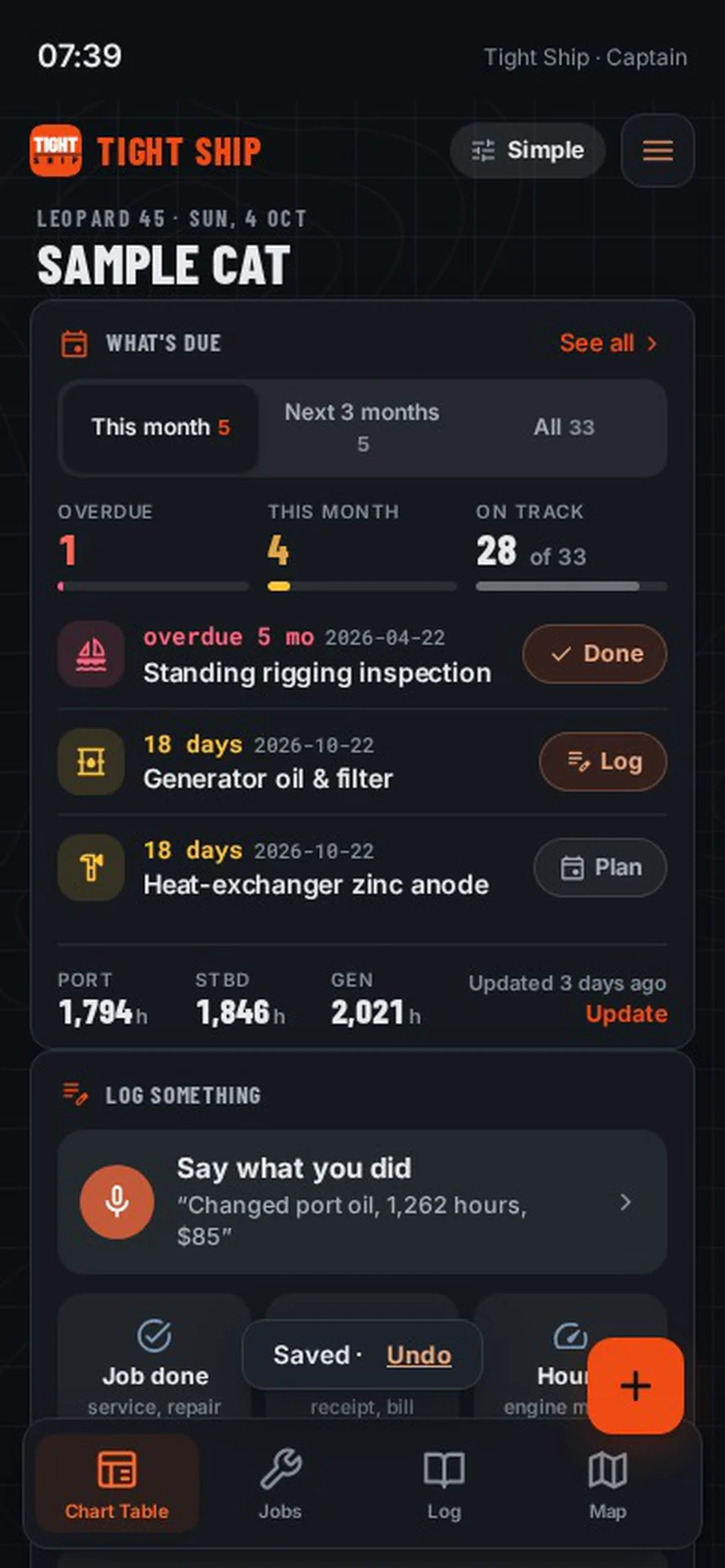
No signal Tight Ship on a phone with no signal: a job marked done and the Saved confirmation

Voice logging

Say what you did.

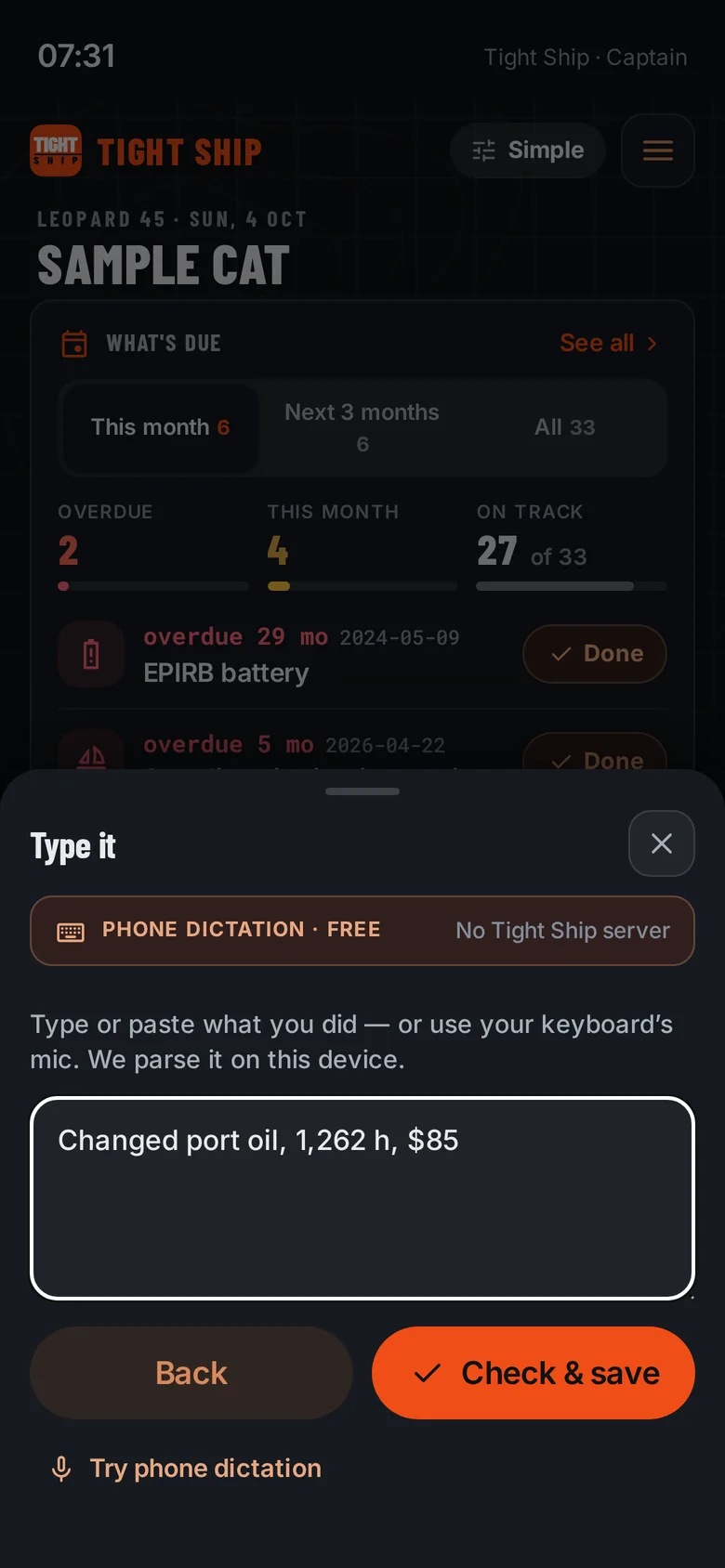
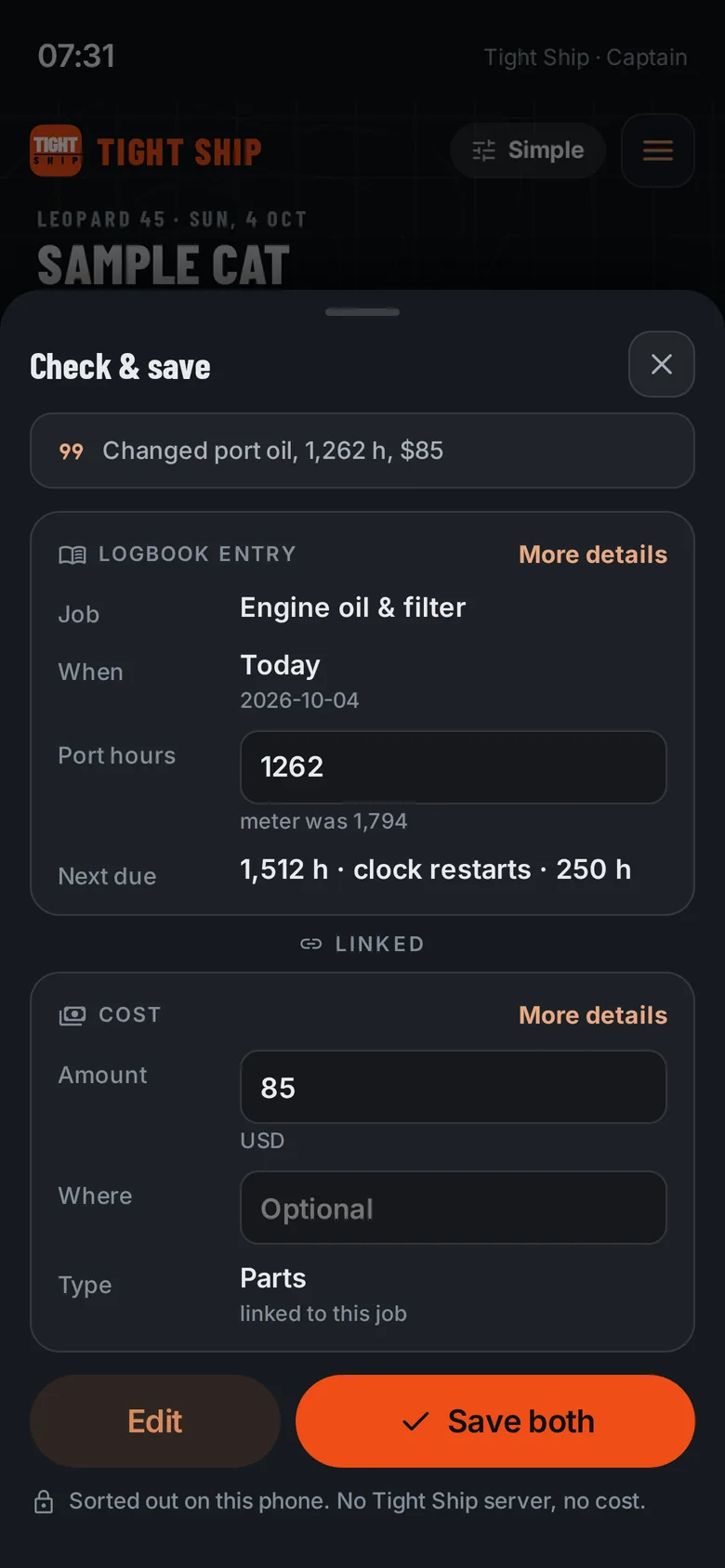
Your hands are covered in oil and the last thing you want is a form. Tap the mic and say it the way you'd tell your partner. Tight Ship reads the sentence on your phone, works out the job, the engine hours and the cost, and shows you one card to check before it saves. Not a word goes to a Tight Ship server.

“Changed port oil, 1,262 h, $85”

JobEngine oil & filter EnginePort Hours1,262 h Cost$85 · Parts Next dueClock restarts
Typing or dictating a sentence into Tight Ship
Tight Ship's Check and save card filled in from one sentence

The boat map

Tap the boat.

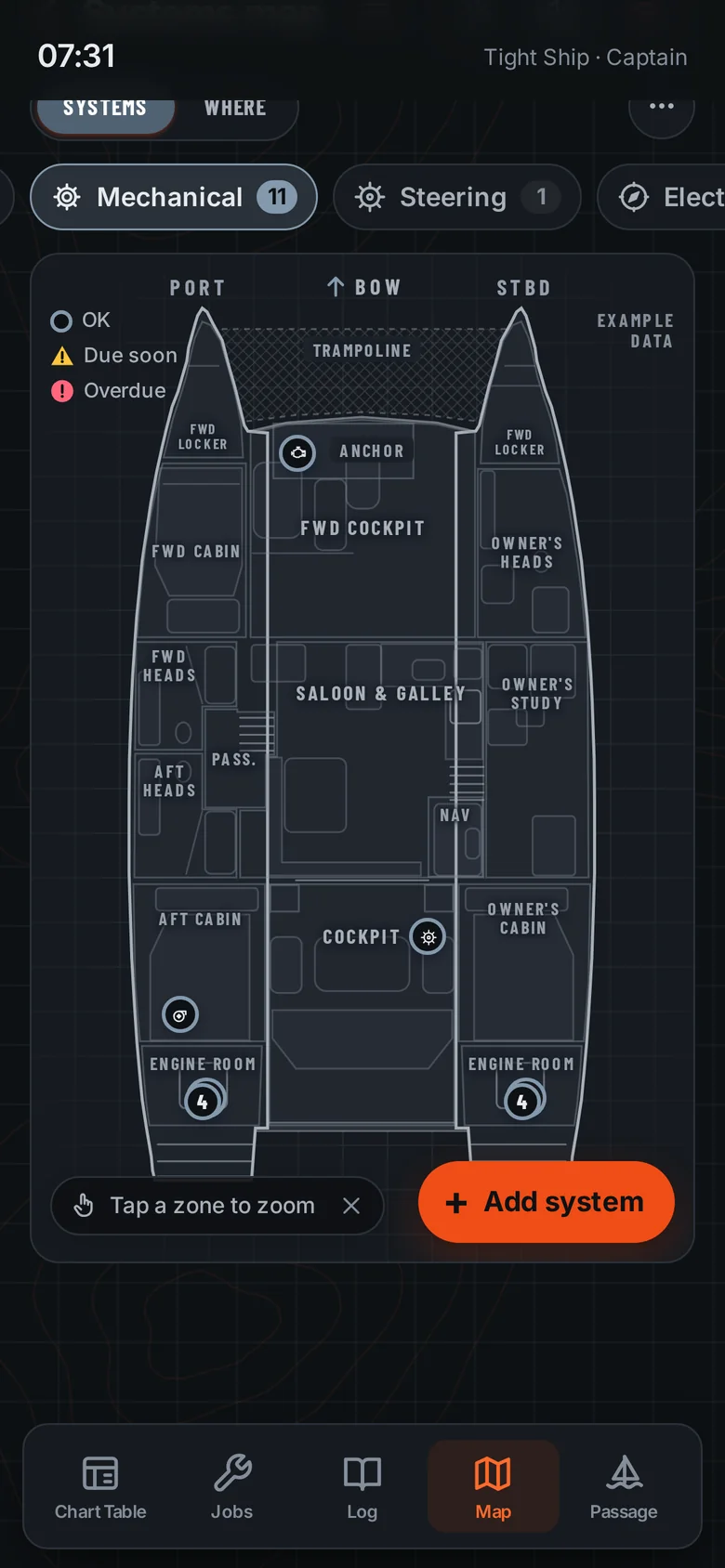
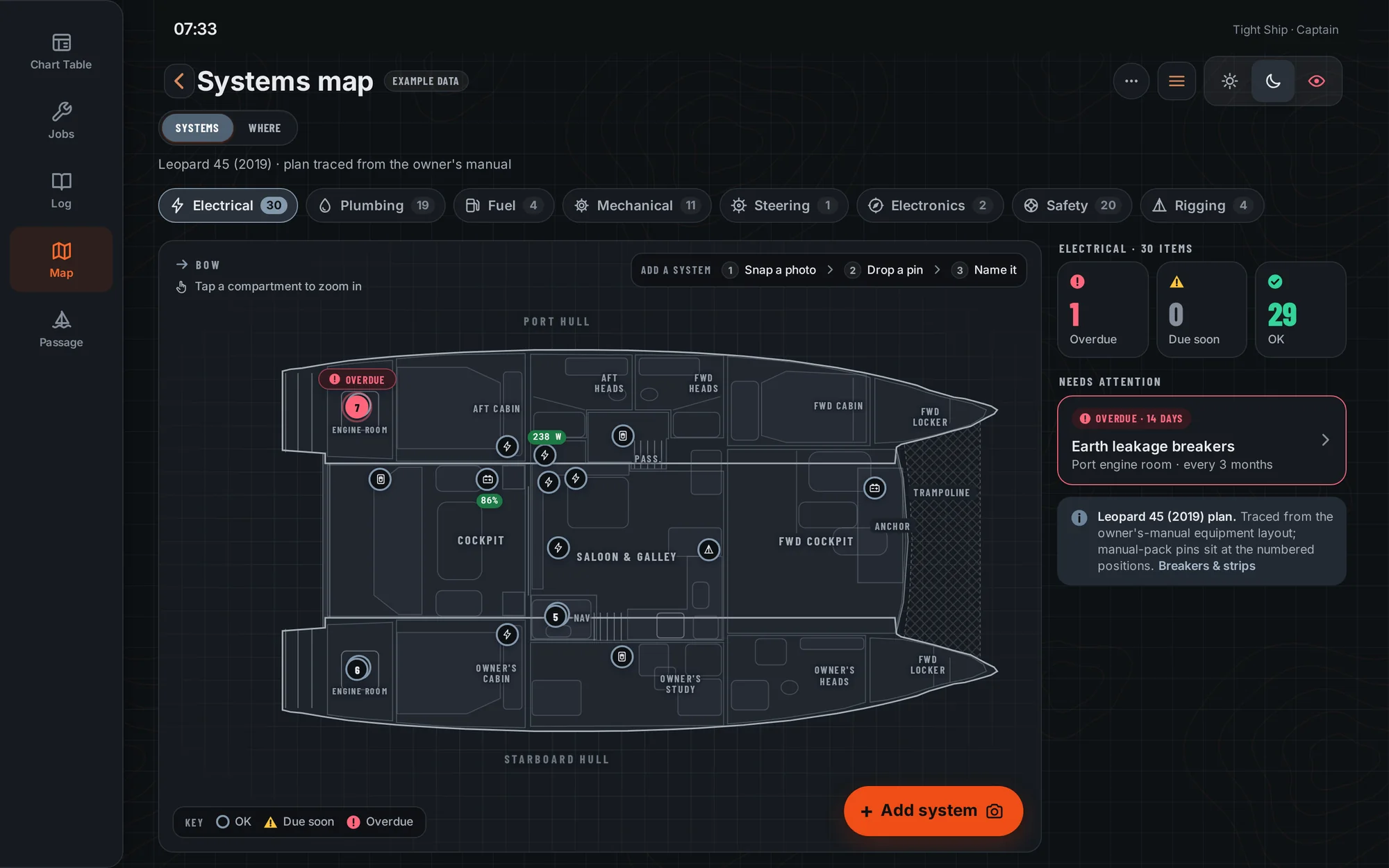
The map is drawn from your boat's own layout, from an uploaded plan or a drawn model, so every system sits where it really is aboard. Start with the whole boat, open a compartment, then tap the thing itself to see its model, hours, history and what's due. Switch layers to see the electrics, the plumbing or the safety gear on their own. Try it here with our demo boat, a Leopard 45.

The whole boat

Every mechanical item on one plan, coloured by what's due. Tap the phone to open the engine room.

The demo shows the Leopard 45 layout. Your boat gets its own, from an uploaded plan or a drawn model.

Tight Ship boat map showing the whole boat with the mechanical layer
Tight Ship · Systems map · Electrical layer · Leopard 45 demo
Tight Ship systems map on a desktop: the whole catamaran plan with electrical items, live battery and solar readings, and an overdue item highlighted

Live Victron power

Know the house bank.

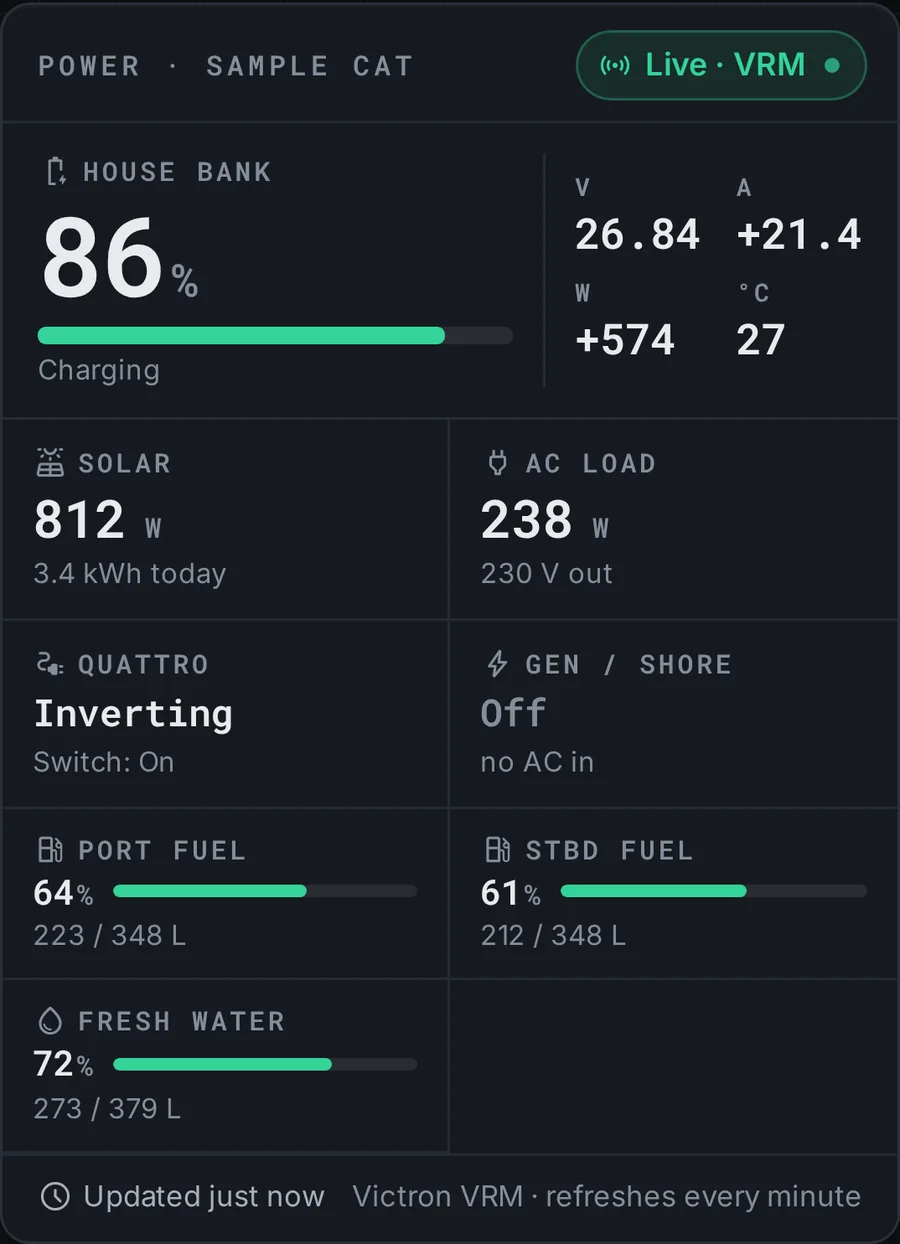
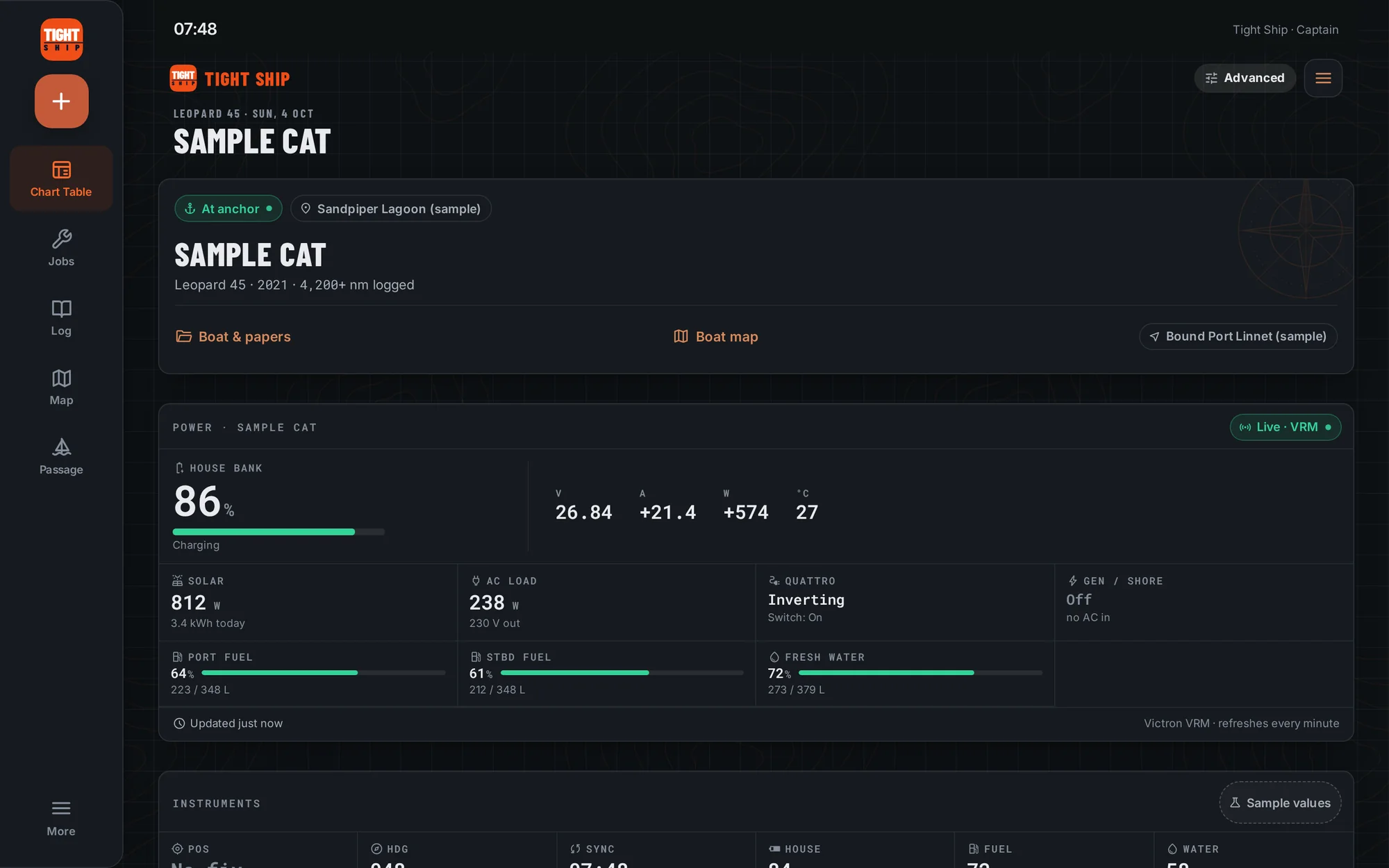
If your boat runs a Victron Cerbo GX, Tight Ship shows the house bank, solar, AC loads and tanks on the Chart Table, refreshed every minute. The same live numbers sit on the boat map, on the battery bank and the inverter, so the state of charge is right next to the maintenance history of the thing making it.

Connect boat is a Captain feature. You don't need Victron to use Tight Ship.

Power card: house bank 86 percent and charging, solar 812 watts, AC load 238 watts, inverter on, fuel and water tank levels

Haul-out planner

Order parts before you need them.

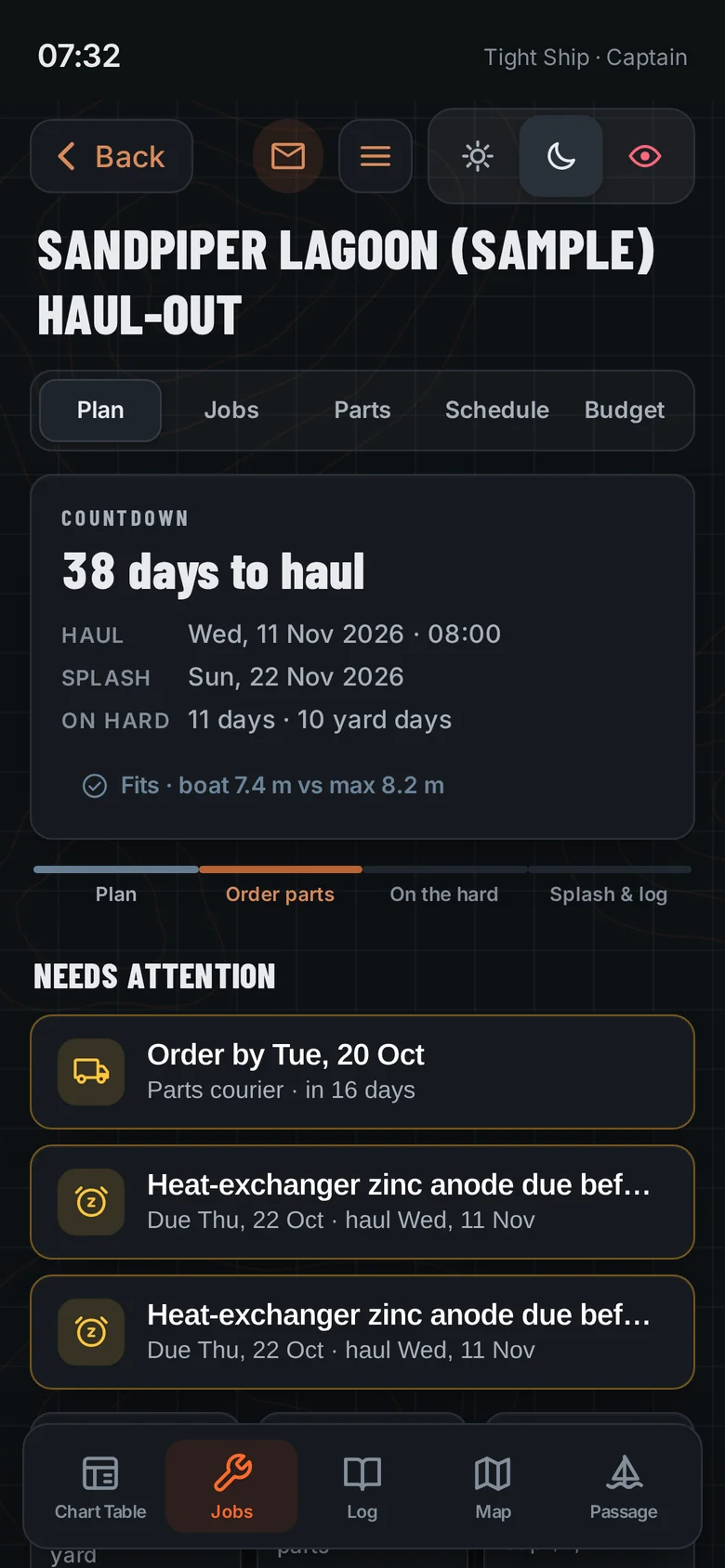
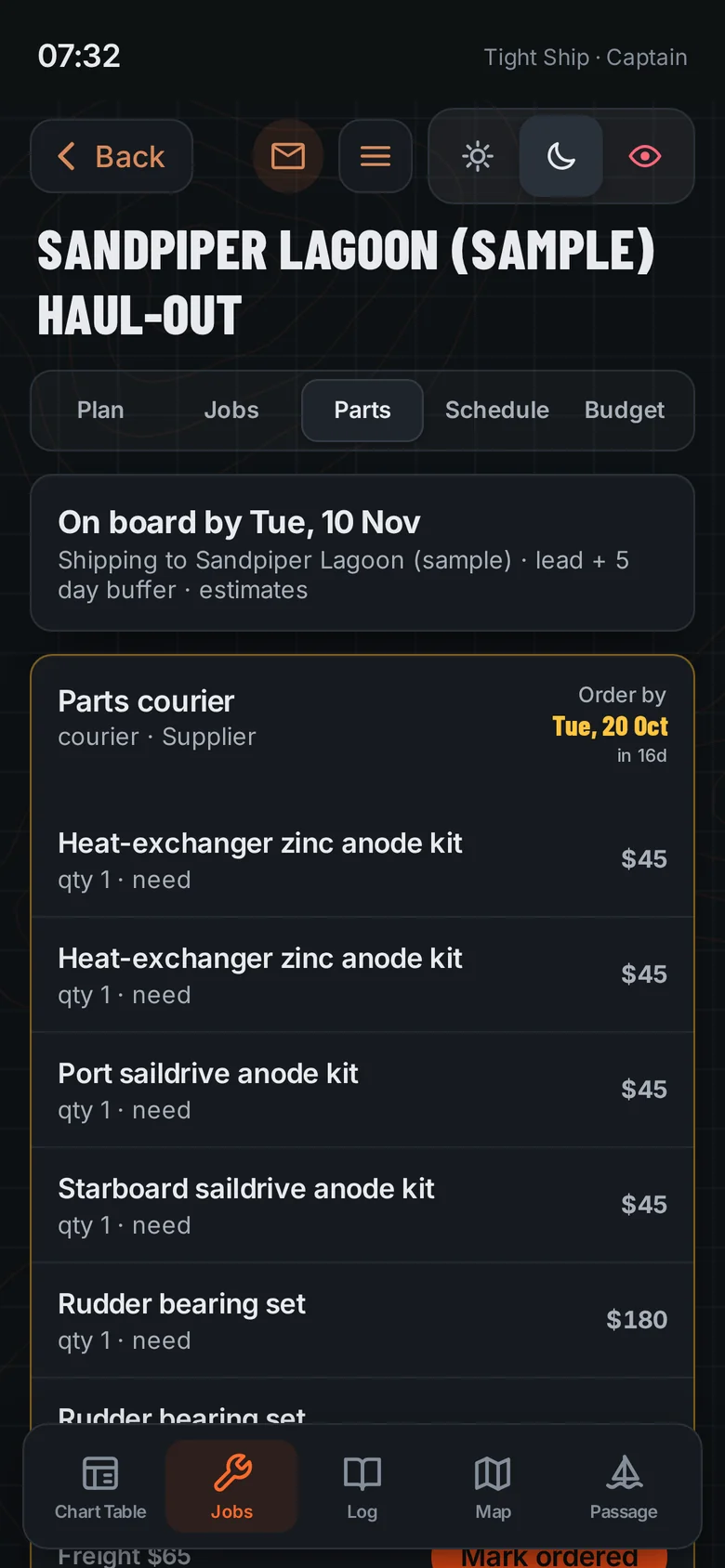
On a remote island, the haul-out starts months before the travel lift. Tight Ship pulls every out-of-water job from your maintenance list, works out the parts, and gives each one an order-by date from the shipping lead time to where you are, with a few days' buffer. Then it lays out the days on the hard and the budget, and writes it all into the logbook when you splash.

  • Order-by dates from regional lead times, so the anodes arrive before you do.
  • Days on the hard scheduled, with rain-risk days flagged for paint.
  • Estimate against actual for the whole haul-out.
Haul-out plan: 38 days to haul, with items needing attention
Haul-out parts list with order-by dates from the courier lead time

Budget and cost to run

What the boat really costs.

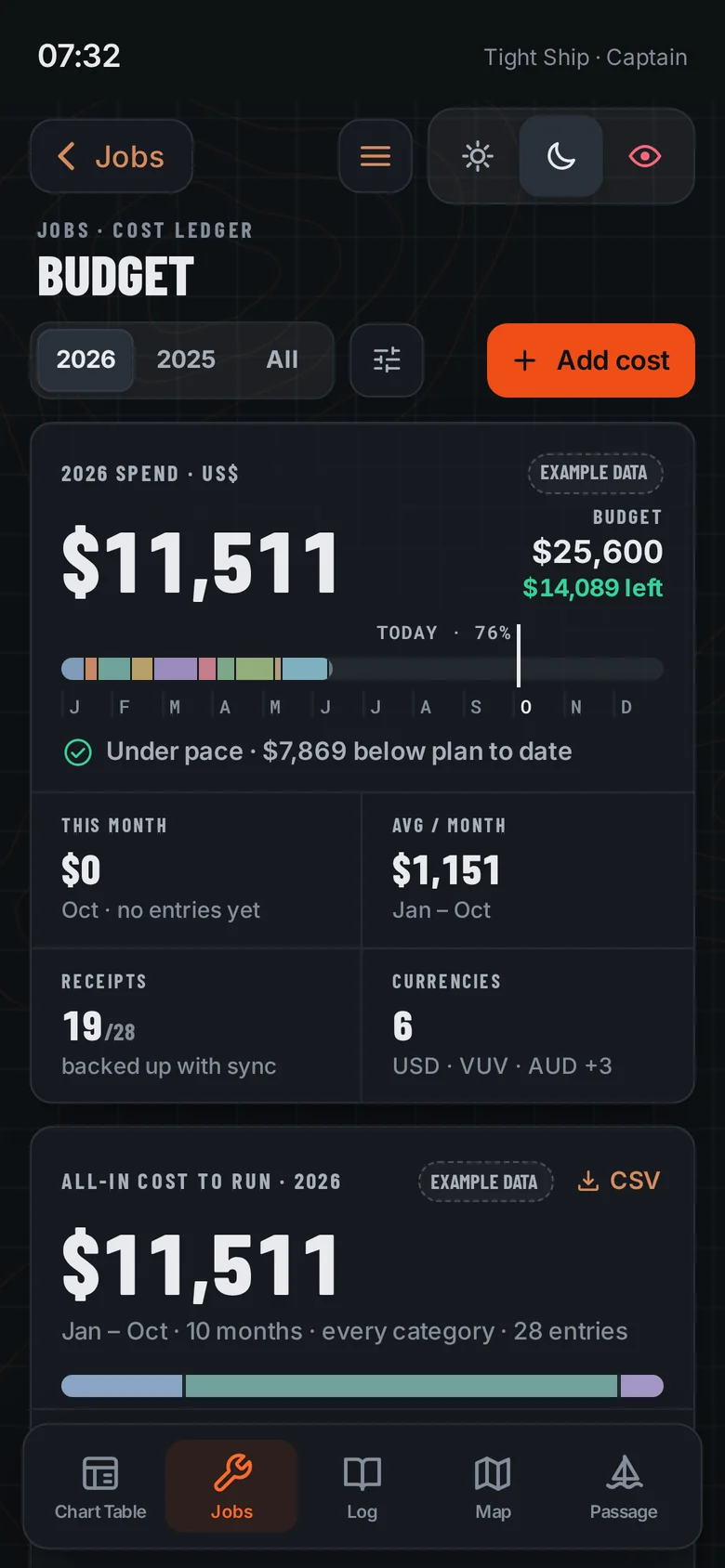
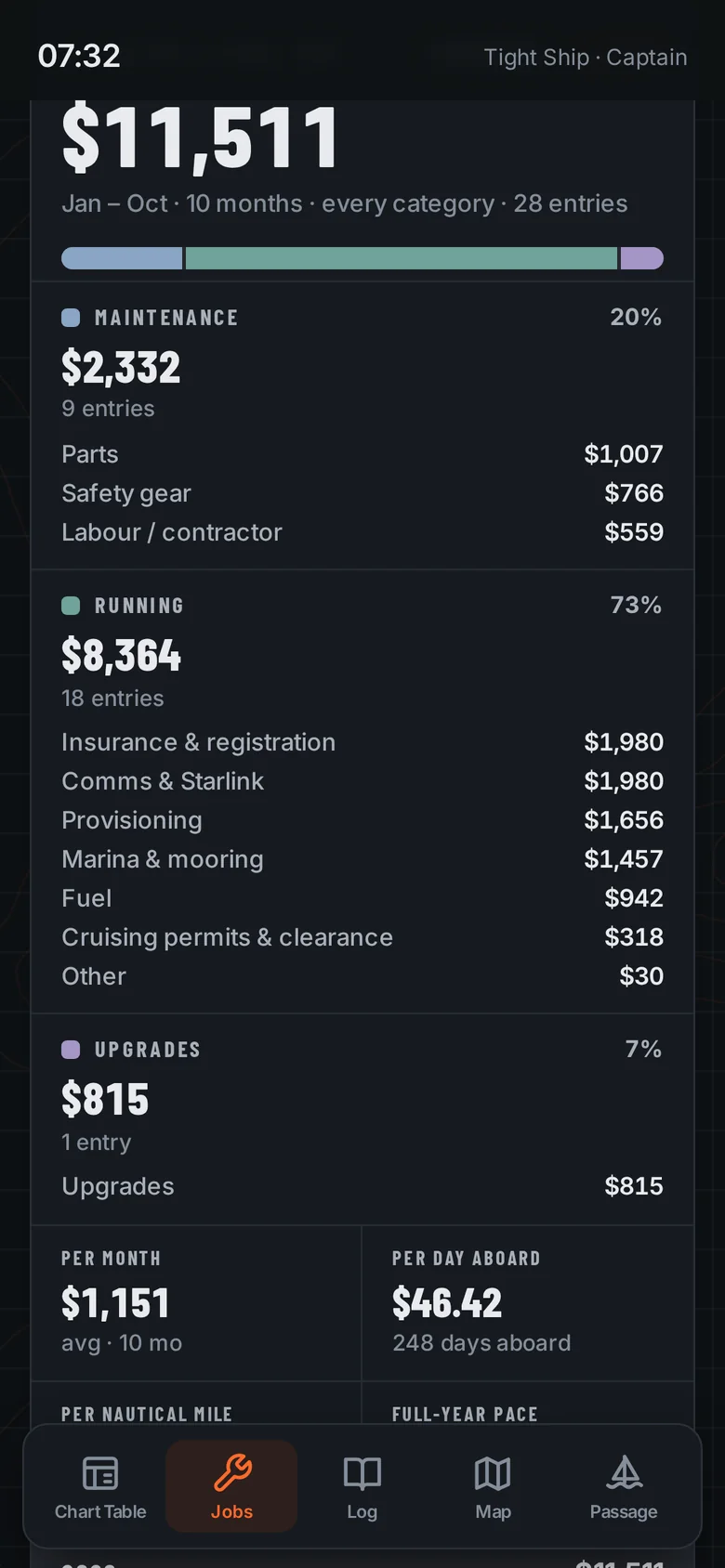
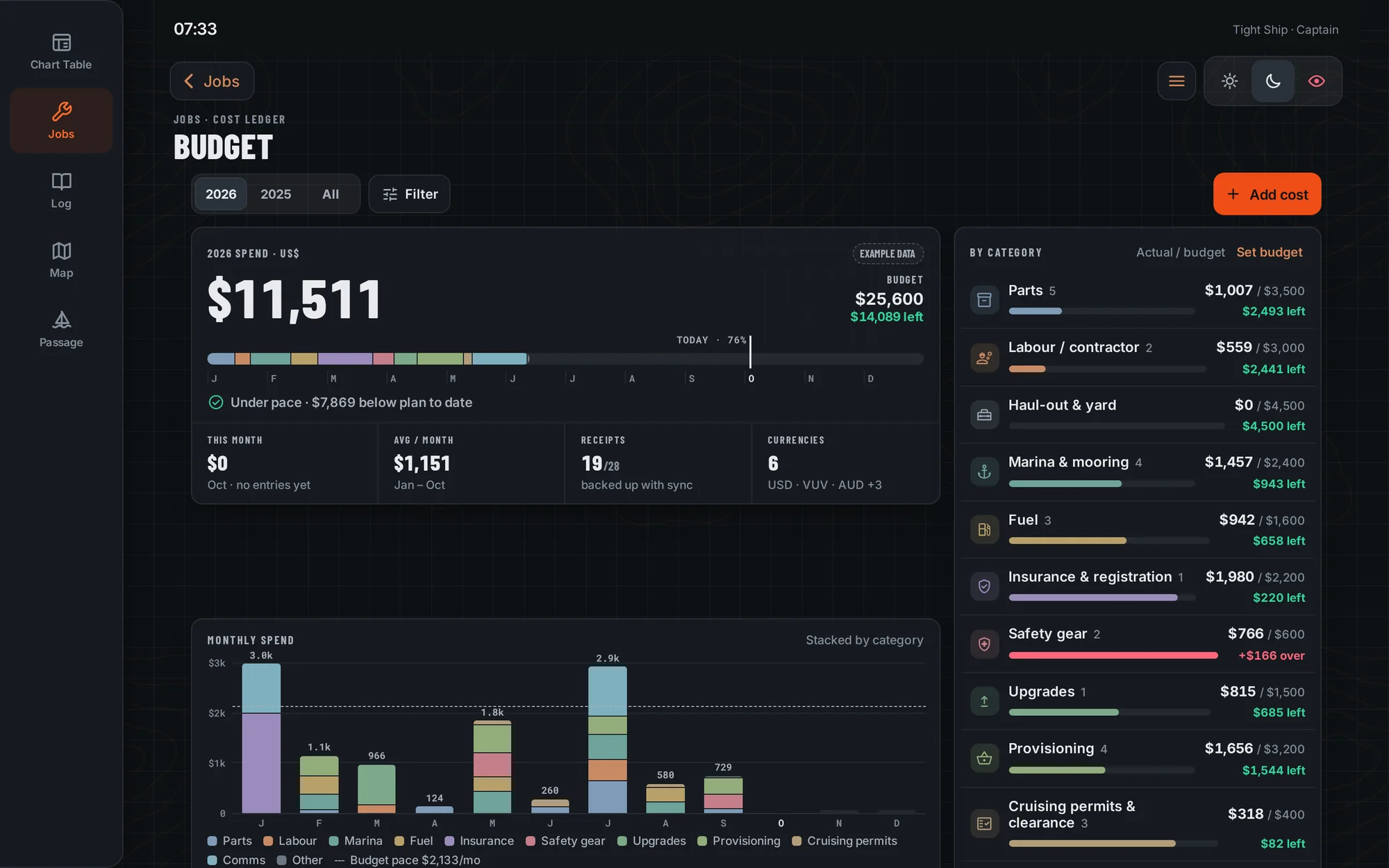
Fuel, marina nights, cruising permits, Starlink, the impeller you bought twice. Tight Ship keeps every cost against the job or the system it belongs to, in the currency you paid in, and shows the year against your budget. The all-in view answers the question every cruiser gets asked: what does it cost per month, per day aboard and per mile?

Budget screen: spend for the year against budget, by month
All-in cost to run: maintenance, running costs and upgrades, per month, per day aboard and per nautical mile

Safety gear and manuals

Ready before you need it.

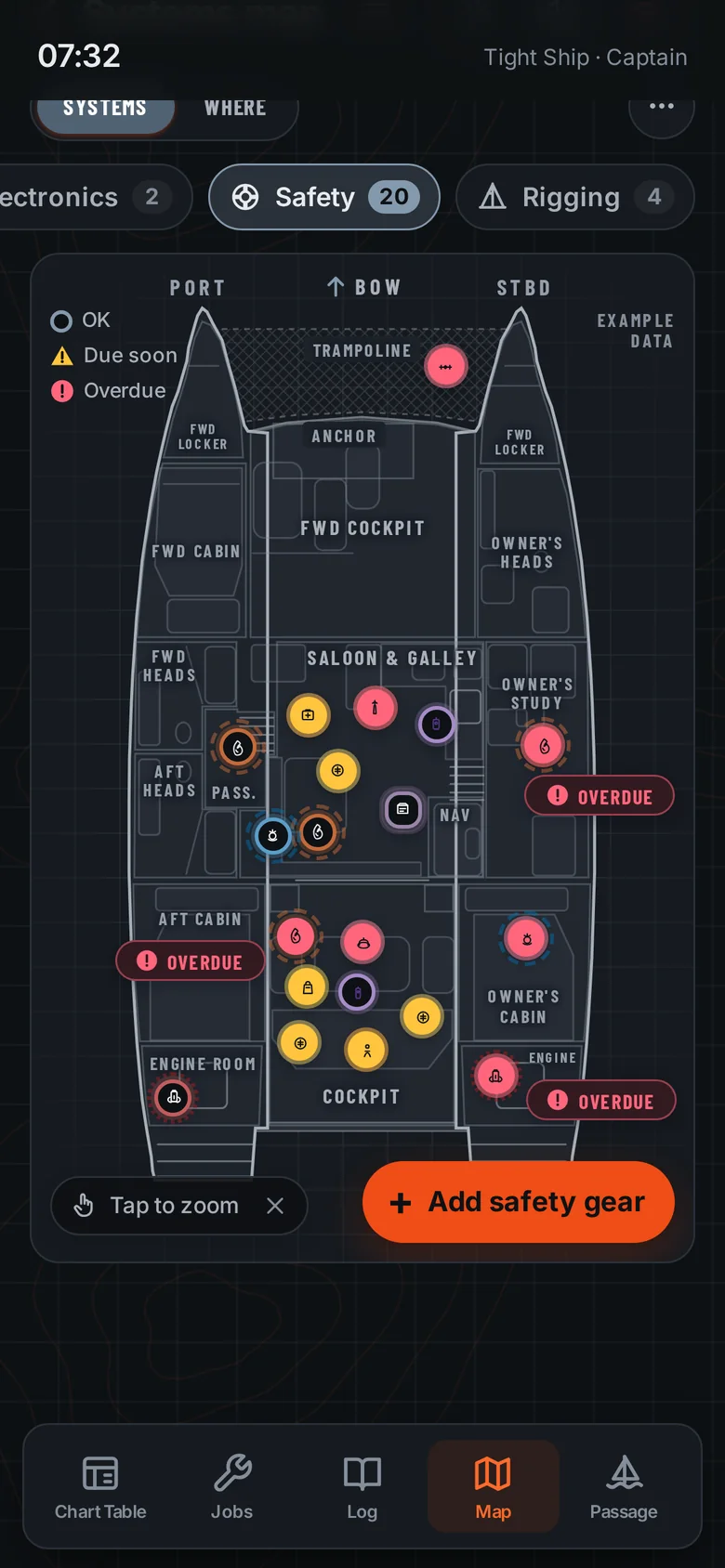
Safety layer on the boat map, with overdue items flagged

Safety gear expiry

Life raft, EPIRB, flares, extinguishers, PFDs, first-aid kit: each one sits on the map where it's stowed, with its service and expiry dates. Due soon shows amber, overdue shows crimson, and both always come with a word as well as a colour.

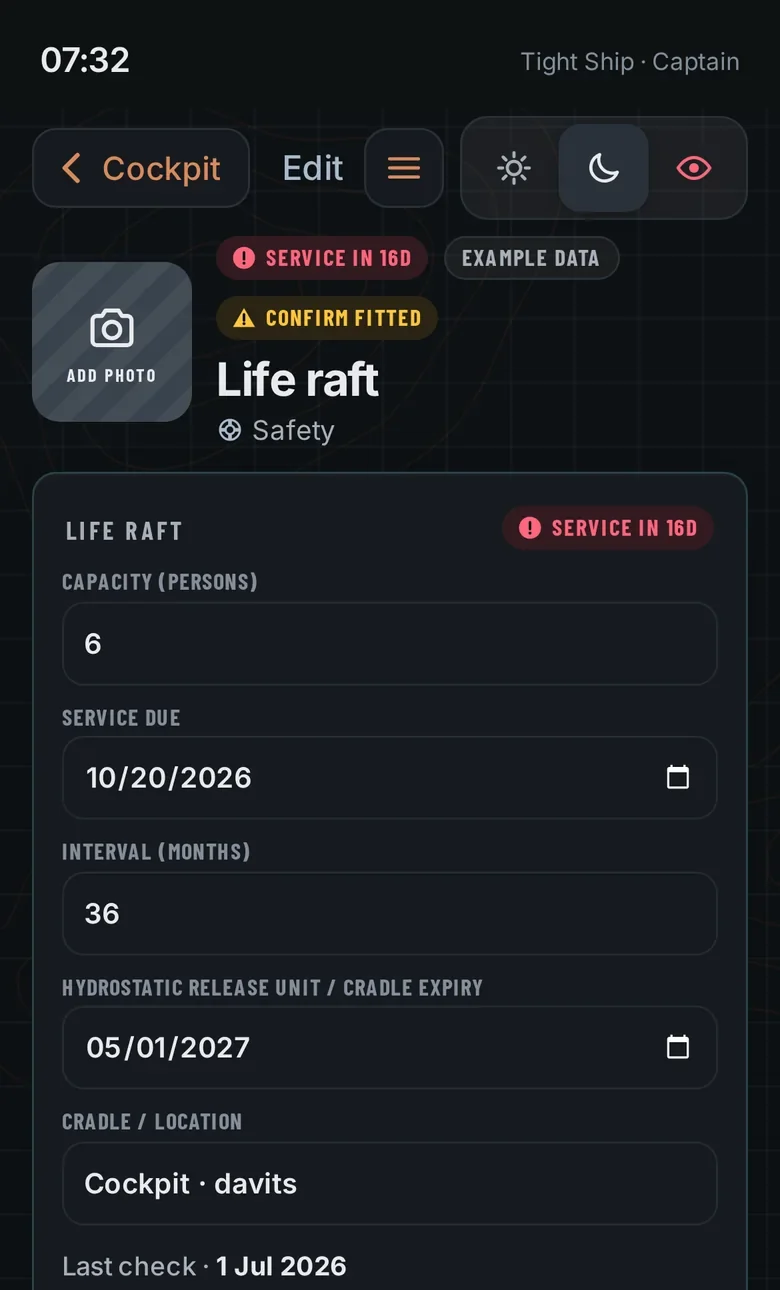
Life raft record: capacity, service due date, interval and hydrostatic release expiry

Every date in one place

Service due, interval and hydrostatic release expiry for the raft, battery dates for the EPIRB, and a one-tap "Log check" when you've looked them over.

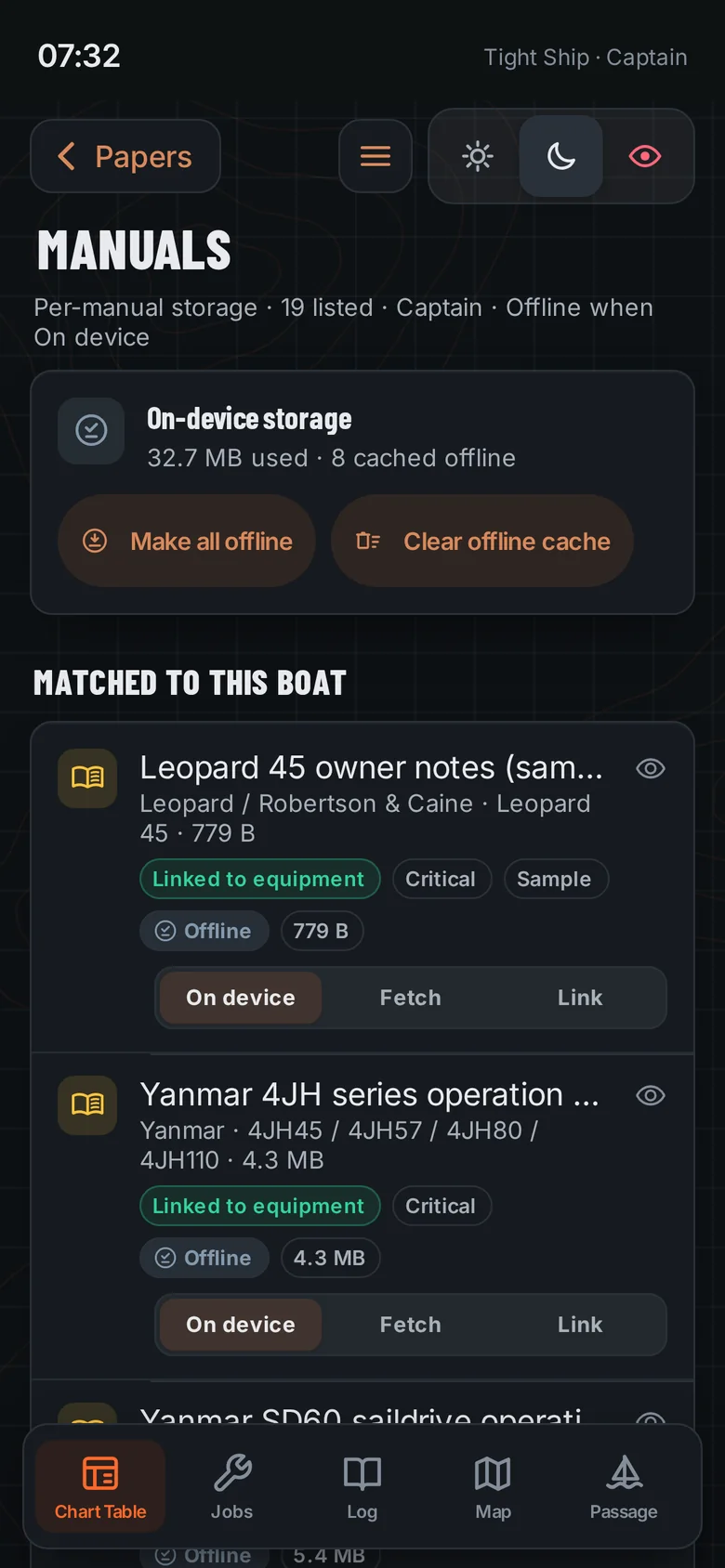
Manuals matched to the boat and kept on the device for offline use

Offline owner's manuals

The manuals for your engines, saildrives and gear, matched to the boat and kept on the device. When the watermaker stops in a bay with no signal, the manual is already aboard.

Offline manuals library is a Captain feature.

Around the boat

The jobs around the jobs.

The smaller tools that save an afternoon. The first three come free with Deckhand.

Deckhand · Free

Checklists

Departure, arrival, overnight passage and safety checklists you run on deck, so nothing gets missed when you're tired or the weather's turning.

Deckhand · Free

Service sheet for the yard

Brief a yard or contractor with engine hours, serials, the jobs and the parts already aboard. Print it or save a PDF on the device. You send it yourself; nothing goes out automatically.

Deckhand · Free

Help when something stops

Plain-language help answers for common problems, on the device. On Captain, Ask / Troubleshoot turns them into a checklist that highlights the related items on your boat map.

Captain

Stores, spares and provisions

Fuel and water across every tank, jerry can and bladder, spares with low-stock alerts and a shopping list, and the food aboard with the locker it's in and its use-by date.

Captain

Reminders and float plans

Expiry and service reminders you can add to your own calendar, and float plans with shore contacts and rescue centre details ready to share.

Captain

Sale report and vendors

A buyer's report of hours, jobs and papers for selling or insuring, a vendor list built from your invoices, and when you sell, the boat's records can go with her.

See exactly what's in each plan on the pricing page.

Phone, iPad and desktop

One boat, every screen.

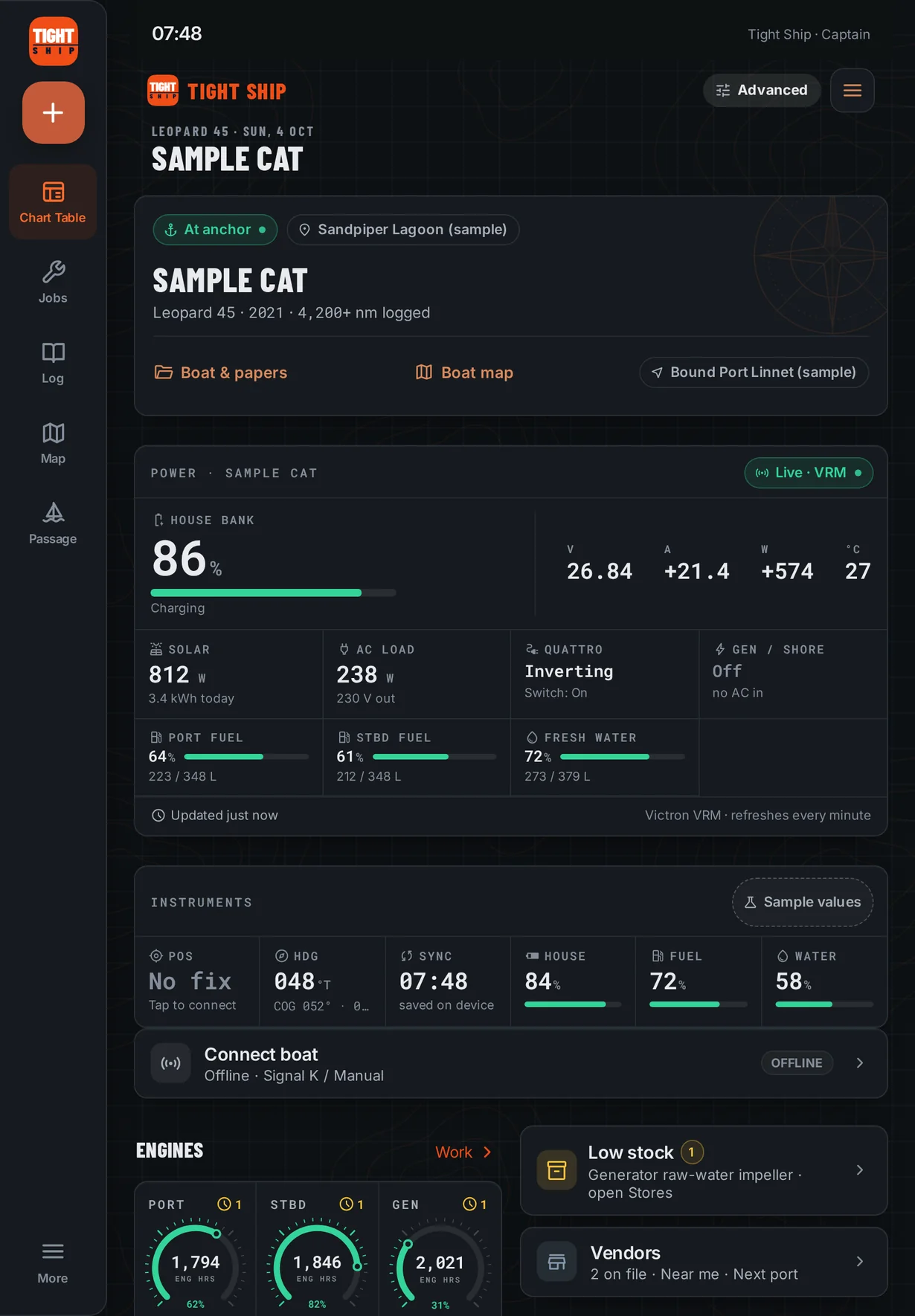
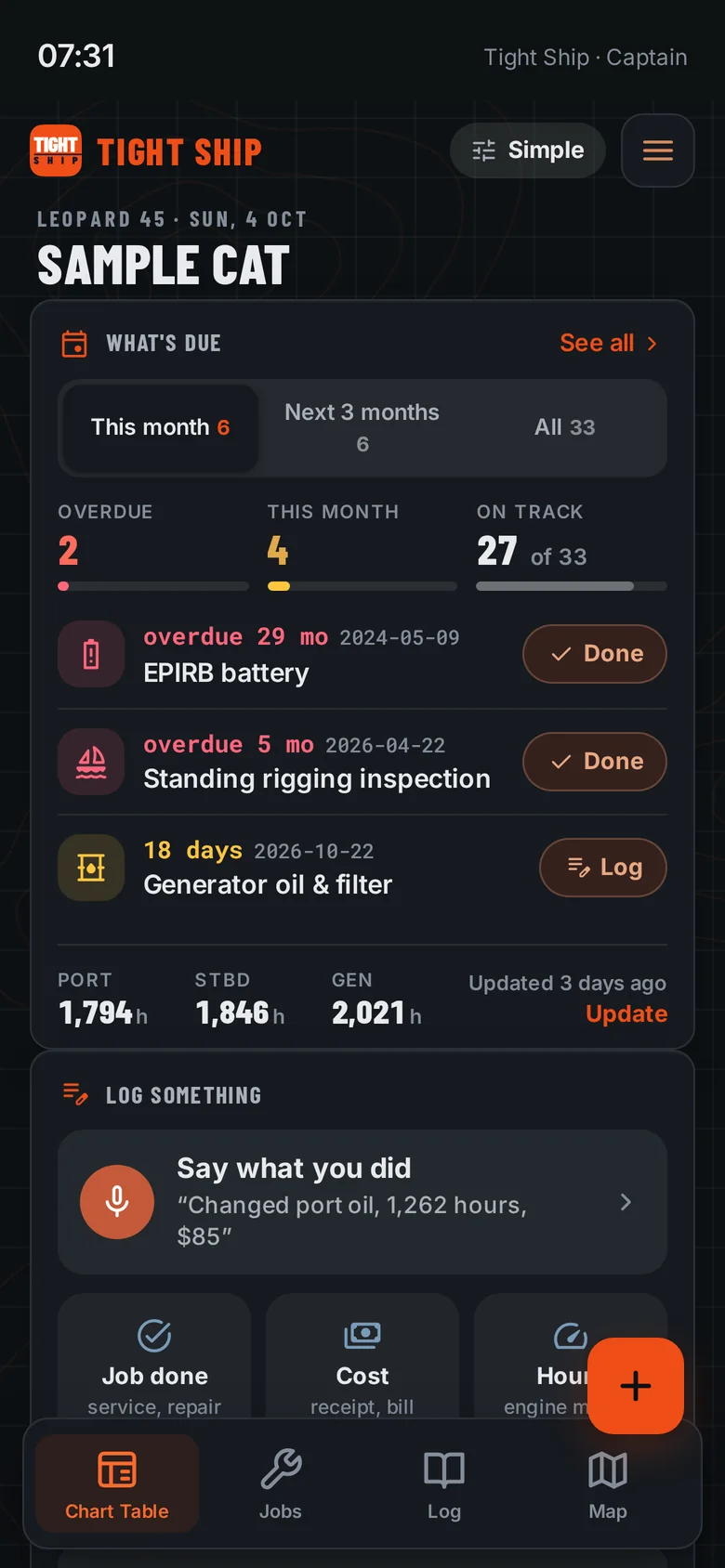
Log from the cockpit on your phone, plan the haul-out on the iPad at the nav station, and work through the budget on a laptop. Keeping one boat in step across your devices is a Captain feature; the free Deckhand tier runs on one device. Simple shows what's due, logging and the map. Advanced adds the budget, haul-out, stores, passages and instruments.

Tight Ship Chart Table on an iPad
Tight Ship · Budget
Tight Ship budget on a desktop browser
Tight Ship What's due on a phone
Warrior, our Leopard 45 catamaran, at anchor in clear blue water inside a reef
Warrior at anchor.

Built aboard a real boat

Made on Warrior.

Tight Ship started as a notebook and a spreadsheet aboard Warrior, our 2021 Leopard 45. We cast off aboard her in March 2023 and have sailed her more than 16,000 nautical miles since, most recently to Vanuatu, where the nearest chandlery can be a flight and a freight bill away. We're experienced cruisers, not professional mechanics.

The lesson came early. Soon after we bought Warrior, we were sailing to the Turks and Caicos when water started leaking into the engine room through the rudders. The previous owners had never dropped them for service, and the rudder bearings had seized. That meant a costly haul-out in St. Martin, new parts ordered from Italy and three weeks on the hard. Following the builder's recommended service would have prevented all of it. So we built the tool we wished we'd had: one that knows what's due on your boat and tells you before it becomes a haul-out, works with no signal, and lets you log a job with greasy hands.

Dave Mortell · SV Warrior · Sailing Life Warriors

Coming soon

Get on the list.

We'll send one email when Tight Ship is ready to come aboard. Tell us about your boat if you like; it helps us plan which boat layouts to draw next.

Free to join. No spam, and we never share your email.